Splashery
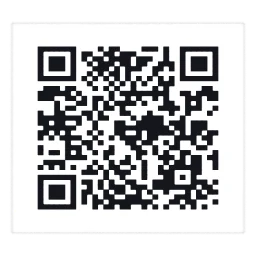
Picture QR, a still.
Playground

Picture QR

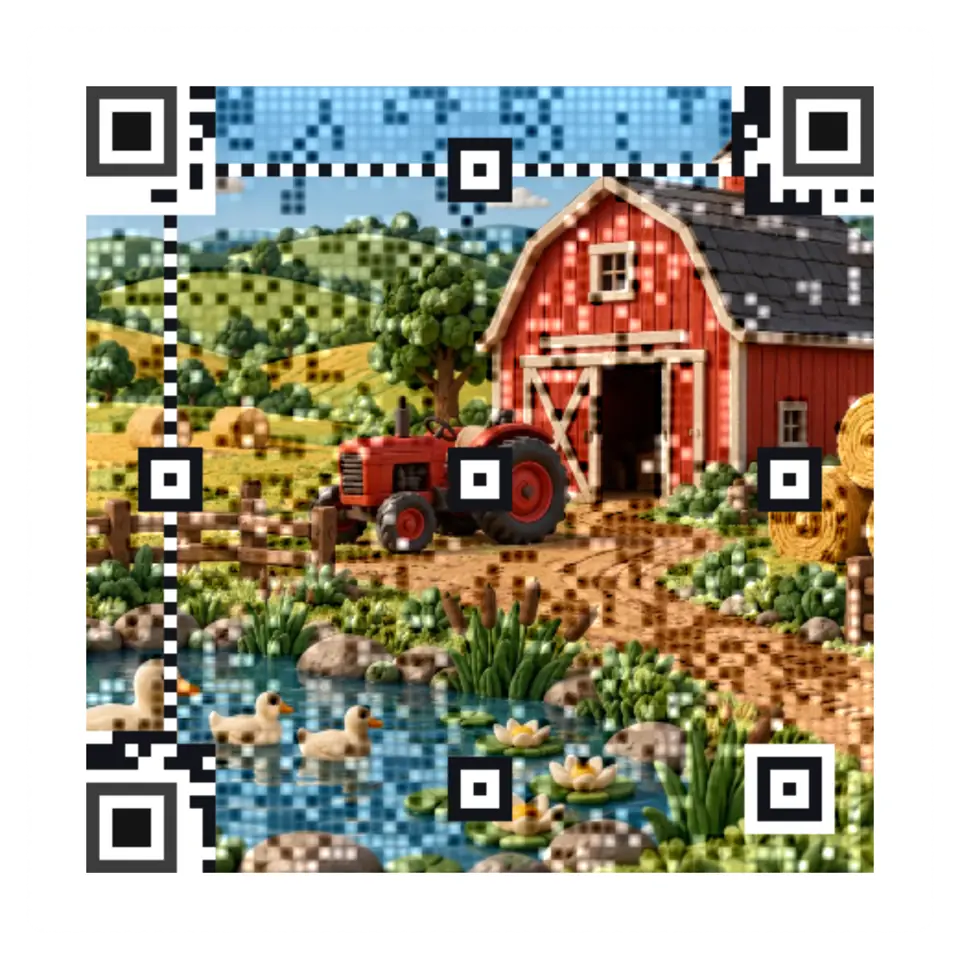
Studio, built from a recipe. Row 21, column 28 of the code.

A QR reader samples the center of each module.

Shelf
Studio
Kind
Built from a recipe
Sound
Yes
Licenses
MIT, Own work, CC0, Apache-2.0

How to play

Pick a picture or open your own, then tap to send a ripple through it.

Its controls

ControlKindRangeStart
Send a rippleTap
Send a rippleButton
ShapeList2 choicesSquare
FrameList3 choicesFeather
Picture detailList3 choicesClear picture
ContrastSetting
Center dotList3 choicesSmall (a third)
Error correctionList4 choicesH: 30%
Picture styleList2 choicesColor
Code sizeList4 choicesMost detail that scans on a phone

About it

A QR reader samples the center of each module. Picture detail sets how Picture QR keeps that bit. Dots, the default, makes your picture a mosaic of small dark and light dots, each module's center dot dark or light for its bit. Clear picture keeps the picture as it is and darkens or lightens a soft square on each module whose picture fights its bit. Clear picture, small dots does the same with a small dot at the module's center instead of a square. Finder eyes, timing lines, and format information stay clear.

Drag and zoom the crop of any picture, a sample or your own, under Fit your picture. Fit the square code keeps the whole picture with light padding. Fill the whole circle carries it across the disc. Only crop settings enter saved scenes and links; your picture stays on your device.

On a Circle, Frame sets what lies around the code. Feather, the default, carries the picture out to the circle's edge, lightened toward white near the code and around its eyes. Continuous carries the code's own pattern on across the picture to the edge. White square keeps a plain white border around the code, which readers find most easily.

It opens with the lowest contrast and the most detail that scans on a phone, and checks its code at phone size first. Make it scan finds a nearby version with more contrast, a bigger center dot, or stronger error correction. New border choices use a pale band, and Eyes changes the finder shape.

Clear picture keeps more of the picture and checks both readers before showing it; difficult pictures can take longer.

Save as makes a PNG at 1,024, 2,048, or 4,096 pixels (or the largest your device allows) or an SVG. Each is drawn again from the code's own modules, dots, and colors, so its edges stay sharp at any size, and each is read back before it is saved. An SVG keeps the shapes, so Clear picture, which blends its picture from cell to cell, saves as a PNG only.

Crop, border, and eye controls made by Ryan Kamp, MIT.

Details

Splats
Opens at 200,000 at Mid Detail, 120,000 at Low, and up to 880,000 at Max
Your own files
image/png, image/jpeg, image/webp, image/avif, image/gif

Sources and credits

WorkByLicense
Clear picture rendering and fidelity studyRyan KampMIT
Felt farm, an AI picture (ChatGPT Images 2.5, D37)Ryan Kamphis own work
Glass wave, an AI picture (ChatGPT Images 2.5, D38)Ryan Kamphis own work
Mushrooms, an AI picture (ChatGPT Images 2.5, D27)Ryan Kamphis own work
Stone arch, an AI picture (ChatGPT Images 2.5, D17)Ryan Kamphis own work
Wildflowers (a sample picture)PookieFugglesteinCC0 1.0
Still life with cheese (a painting) (a sample picture)Antoine Vollon (Metropolitan Museum of Art Open Access)CC0 1.0
A spiral staircase (a sample picture)Jorge MendozaCC0 1.0
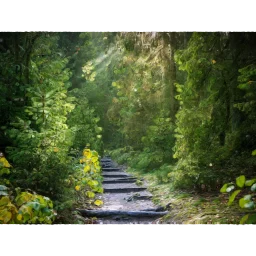
A forest path (a sample picture)Seaq68 (from Pixabay, 2017)CC0 1.0
Split leaf, an AI picture (ChatGPT Images 2.5, C54-Q5)Ryan Kamphis own work
Fern frond, an AI picture (ChatGPT Images 2.5, C54-Q3)Ryan Kamphis own work
Green watering can, an AI picture (ChatGPT Images 2.5, C54-Q41)Ryan Kamphis own work
Potted cactus, an AI picture (ChatGPT Images 2.5, C54-Q6)Ryan Kamphis own work
Clay pitcher, an AI picture (ChatGPT Images 2.5, C54-Q28)Ryan Kamphis own work
Wooden stacking rings, an AI picture (ChatGPT Images 2.5, C54-Q42)Ryan Kamphis own work
Pear, an AI picture (ChatGPT Images 2.5, C54-Q9)Ryan Kamphis own work
Balloon, an AI picture (ChatGPT Images 2.5, C54-Q24)Ryan Kamphis own work
Mushroom, an AI picture (ChatGPT Images 2.5, C54-Q12)Ryan Kamphis own work
Wooden spinning top, an AI picture (ChatGPT Images 2.5, C54-Q33)Ryan Kamphis own work
Tulip, an AI picture (ChatGPT Images 2.5, C54-Q15)Ryan Kamphis own work
Pinecone, an AI picture (ChatGPT Images 2.5, C54-Q19)Ryan Kamphis own work
Stacked stones, an AI picture (ChatGPT Images 2.5, C54-Q31)Ryan Kamphis own work
Wooden rook, an AI picture (ChatGPT Images 2.5, C54-Q22)Ryan Kamphis own work
Paper rainbow, an AI picture (ChatGPT Images 2.5, C54-Q30)Ryan Kamphis own work
Wooden blocks, an AI picture (ChatGPT Images 2.5, C54-Q21)Ryan Kamphis own work
Clay teapot, an AI picture (ChatGPT Images 2.5, C54-Q2)Ryan Kamphis own work
Lotus bloom, an AI picture (ChatGPT Images 2.5, C54-Q16)Ryan Kamphis own work
Scallop shell, an AI picture (ChatGPT Images 2.5, C54-Q14)Ryan Kamphis own work
Pumpkin, an AI picture (ChatGPT Images 2.5, C54-Q20)Ryan Kamphis own work
Blue vase, an AI picture (ChatGPT Images 2.5, C54-Q1)Ryan Kamphis own work
Ginkgo leaf, an AI picture (ChatGPT Images 2.5, C54-Q4)Ryan Kamphis own work
Autumn squash, an AI picture (ChatGPT Images 2.5, C54-Q11)Ryan Kamphis own work
Smooth pebbles, an AI picture (ChatGPT Images 2.5, C54-Q8)Ryan Kamphis own work
Summer sun · soft (code-made, CC0) (a sample picture)Ryan KampCC0 1.0
Autumn maple (code-made, CC0) (a sample picture)Ryan KampCC0 1.0
Winter snowflake (code-made, CC0) (a sample picture)Ryan KampCC0 1.0
Winter mittens · soft (code-made, CC0) (a sample picture)Ryan KampCC0 1.0
Apple (code-made, CC0) (a sample picture)Ryan KampCC0 1.0
Spring buds (code-made, CC0) (a sample picture)Ryan KampCC0 1.0
Winter fir · soft (code-made, CC0) (a sample picture)Ryan KampCC0 1.0
Autumn acorn (code-made, CC0) (a sample picture)Ryan KampCC0 1.0
Scallop shell · soft (code-made, CC0) (a sample picture)Ryan KampCC0 1.0
Rolling wave (code-made, CC0) (a sample picture)Ryan KampCC0 1.0
Starfish (code-made, CC0) (a sample picture)Ryan KampCC0 1.0
Reef fish · soft (code-made, CC0) (a sample picture)Ryan KampCC0 1.0
Coral fan · soft (code-made, CC0) (a sample picture)Ryan KampCC0 1.0
Pearl shell (code-made, CC0) (a sample picture)Ryan KampCC0 1.0
Sea turtle · soft (code-made, CC0) (a sample picture)Ryan KampCC0 1.0
Jellyfish · soft (code-made, CC0) (a sample picture)Ryan KampCC0 1.0
Fern frond (code-made, CC0) (a sample picture)Ryan KampCC0 1.0
Woodland mushroom · soft (code-made, CC0) (a sample picture)Ryan KampCC0 1.0
Pinecone · soft (code-made, CC0) (a sample picture)Ryan KampCC0 1.0
Oak leaf · soft (code-made, CC0) (a sample picture)Ryan KampCC0 1.0
Acorn (code-made, CC0) (a sample picture)Ryan KampCC0 1.0
Berry branch (code-made, CC0) (a sample picture)Ryan KampCC0 1.0
Pond leaves (code-made, CC0) (a sample picture)Ryan KampCC0 1.0
Birch branch (code-made, CC0) (a sample picture)Ryan KampCC0 1.0
Ringed planet · soft (imaginary art) (code-made, CC0) (a sample picture)Ryan KampCC0 1.0
Crescent moon (imaginary art) (code-made, CC0) (a sample picture)Ryan KampCC0 1.0
Spiral galaxy · soft (imaginary art) (code-made, CC0) (a sample picture)Ryan KampCC0 1.0
Paper rocket (imaginary art) (code-made, CC0) (a sample picture)Ryan KampCC0 1.0
Orbital rings (imaginary art) (code-made, CC0) (a sample picture)Ryan KampCC0 1.0
Imaginary nebula · soft (imaginary art) (code-made, CC0) (a sample picture)Ryan KampCC0 1.0
Twin planets (imaginary art) (code-made, CC0) (a sample picture)Ryan KampCC0 1.0
Meteor shower (imaginary art) (code-made, CC0) (a sample picture)Ryan KampCC0 1.0
Woven bands (code-made, CC0) (a sample picture)Ryan KampCC0 1.0
Spiral tiles (code-made, CC0) (a sample picture)Ryan KampCC0 1.0
Ripple rings (code-made, CC0) (a sample picture)Ryan KampCC0 1.0
Mosaic diamonds · soft (code-made, CC0) (a sample picture)Ryan KampCC0 1.0
Arc quilt · soft (code-made, CC0) (a sample picture)Ryan KampCC0 1.0
Paper folds (code-made, CC0) (a sample picture)Ryan KampCC0 1.0
Wavy stripes (code-made, CC0) (a sample picture)Ryan KampCC0 1.0
Large chevrons · soft (code-made, CC0) (a sample picture)Ryan KampCC0 1.0
Balloons (code-made, CC0) (a sample picture)Ryan KampCC0 1.0
Party cake (code-made, CC0) (a sample picture)Ryan KampCC0 1.0
Paper bunting (code-made, CC0) (a sample picture)Ryan KampCC0 1.0
Confetti (code-made, CC0) (a sample picture)Ryan KampCC0 1.0
Festival lantern · soft (code-made, CC0) (a sample picture)Ryan KampCC0 1.0
Ribbon bow (code-made, CC0) (a sample picture)Ryan KampCC0 1.0
Flower bouquet (code-made, CC0) (a sample picture)Ryan KampCC0 1.0
Paper pinwheel (code-made, CC0) (a sample picture)Ryan KampCC0 1.0

Libraries

MIT
gifenc 1.0.3
Apache-2.0
jsQR 1.4.0 (lane LSTUDIO)
MIT
QR Code generator library (Project Nayuki)
MIT, Apache-2.0
zxing-wasm 3.1.4, with zxing-cpp (copied from Splashery)
MIT, Apache-2.0
ZXing for JavaScript 0.21.3 (lane LSTUDIO)
In The Splash Manual

  1. Chapter 9: Codes and pages

Share it

The back of the picture is this page's QR code: flip it, and point a phone at it. This link opens it in the Playground. To put it on your own page, add the element and one script tag. Every option.

https://splashery.app/play/?toy=qr-picture
<script type="module" src="https://splashery.app/play/src/element.js"></script>
<splashery-toy toy="qr-picture"></splashery-toy>

Nearby in the collection